The Pixel Watch 5 introduces Gemini Intelligence, enhancing user experience with proactive suggestions and richer on-device capabilities.
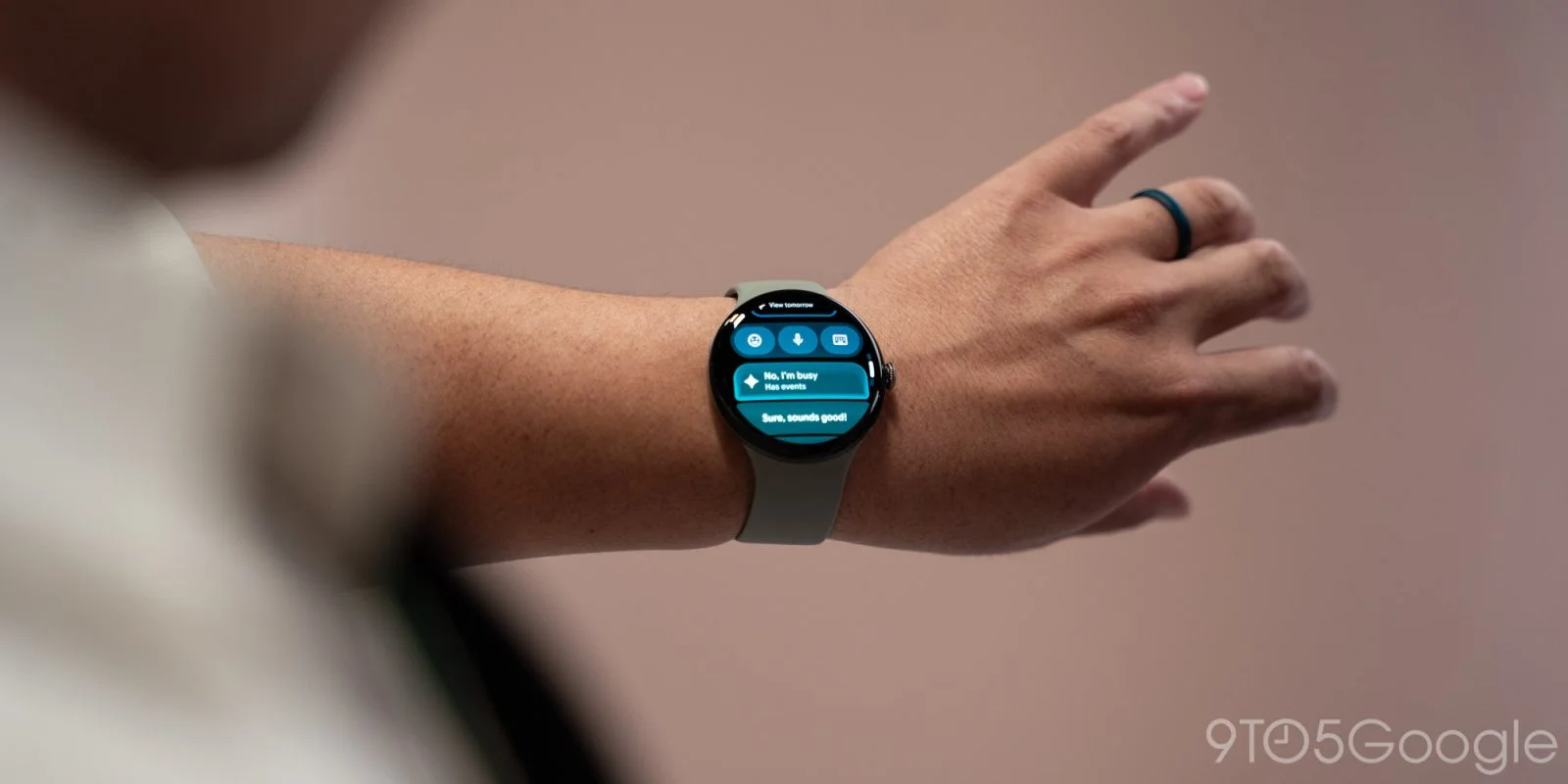
With the launch of the Pixel Watch 5, Google rolls out its Gemini Intelligence, enriching the user experience through an array of AI-driven and on-device enhancements.
Proactive Suggestions and Smart Replies
The latest features stem from Google's recent announcements and include Proactive Suggestions—formerly Magic Cue, revamped across platforms. This rebranding does more than polish a name; it signifies a shift in how users interact with their devices. The feature resonates most with Google Messages users, now equipped for one-tap actions. For instance, if someone requests your contact details, you can respond instantly with the relevant information. This level of interactivity proves not only convenient but also reflective of a consumer expectation: technology that anticipates needs rather than merely reacting to them.
Your Pixel 11 plays a pivotal role here, generating insights that translate directly to your watch. This kind of symbiosis between devices isn’t just an added layer of convenience—it's a strategic move that sets Google apart in a crowded market filled with wearable tech. Moreover, the integration allows you to set reminders and monitor your calendar with ease, ensuring that users remain organized without needing to toggle between devices. This seamless interplay demonstrates how a properly designed ecosystem can enhance productivity.
Boosting Efficiency with Smart Replies
Smart replies are now enhanced, offering three instant responses instead of just one, thanks to the improvements from the Gemini Nano model. This subtle yet impactful change increases processing speed by 50%, making interactions on the Pixel Watch 5 noticeably swift. In practical terms, faster responses can significantly reduce the friction in everyday tasks, from replying to messages to managing notifications. That's the kind of advance users will appreciate in fast-paced environments.
The improvements here suggest a calculated response to growing consumer demands for quick and efficient interactions. As messaging apps evolve and the speed of communication accelerates, features that facilitate timely responses are essential. You're no longer just carrying a watch; you're engaging with a device designed to keep up with your conversation flow.
Task Automation and Offline Capabilities
One noteworthy function is the task automation feature that extends from your watch face. This allows you to initiate tasks like food orders on your phone while keeping you updated through your watch. You'll receive notifications on when to confirm your order directly on your Pixel 11. This kind of task automation isn't merely about adding convenience; it's about creating a cohesive user experience that reduces dependence on multiple devices while encouraging a more organized digital life.
Moreover, the watch operates effectively offline with Gemini commands, enabling essential actions like setting timers, adjusting settings, managing music, launching apps, and starting workouts without relying on a phone or internet connection. The offline functionality addresses a common pain point for users—many wearables struggle with providing comprehensive features without connectivity. This enhancement empowers users to fully rely on their devices, even in situations where access to their smartphones isn't possible.
Expanded Integration with Other Apps
Looking ahead, Google plans to increase app compatibility, further solidifying the Pixel Watch 5’s role in day-to-day activities. The commitment to expanding integration means that users can expect a more personalized experience as they tap into various applications throughout their day. The integration into the Gemini app now features a revamped Neural Expressive interface, allowing for more personalized responses and context-aware queries by tapping into Gmail, Calendar, and Keep. This focus on personalization is significant; it suggests that Google is not just interested in data collection but also in refining user interactions based on habits and preferences.
Enhanced Interaction Features
The raise-to-talk gesture functionality has been extended, no longer restricted to just the watch face, improving usability drastically. Users can engage with the device effortlessly from any screen. Few might appreciate this change as much as the on-the-go professional for whom every second counts. You don’t want to be fumbling with a screen when you can simply raise your wrist and engage. This features the subtle but critical user-oriented enhancements that resonate with what people need from their tech.
New Features: At a Glance
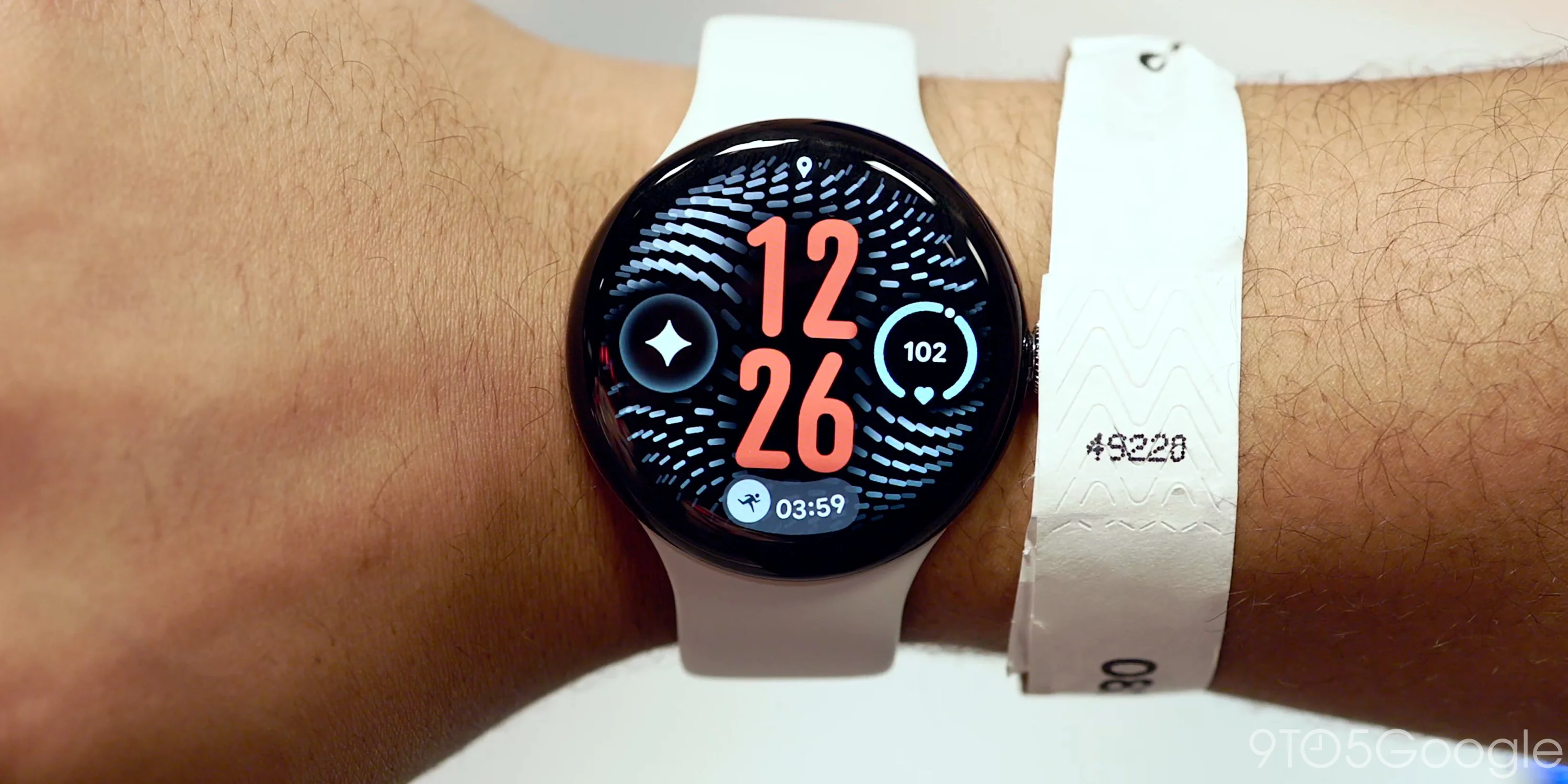
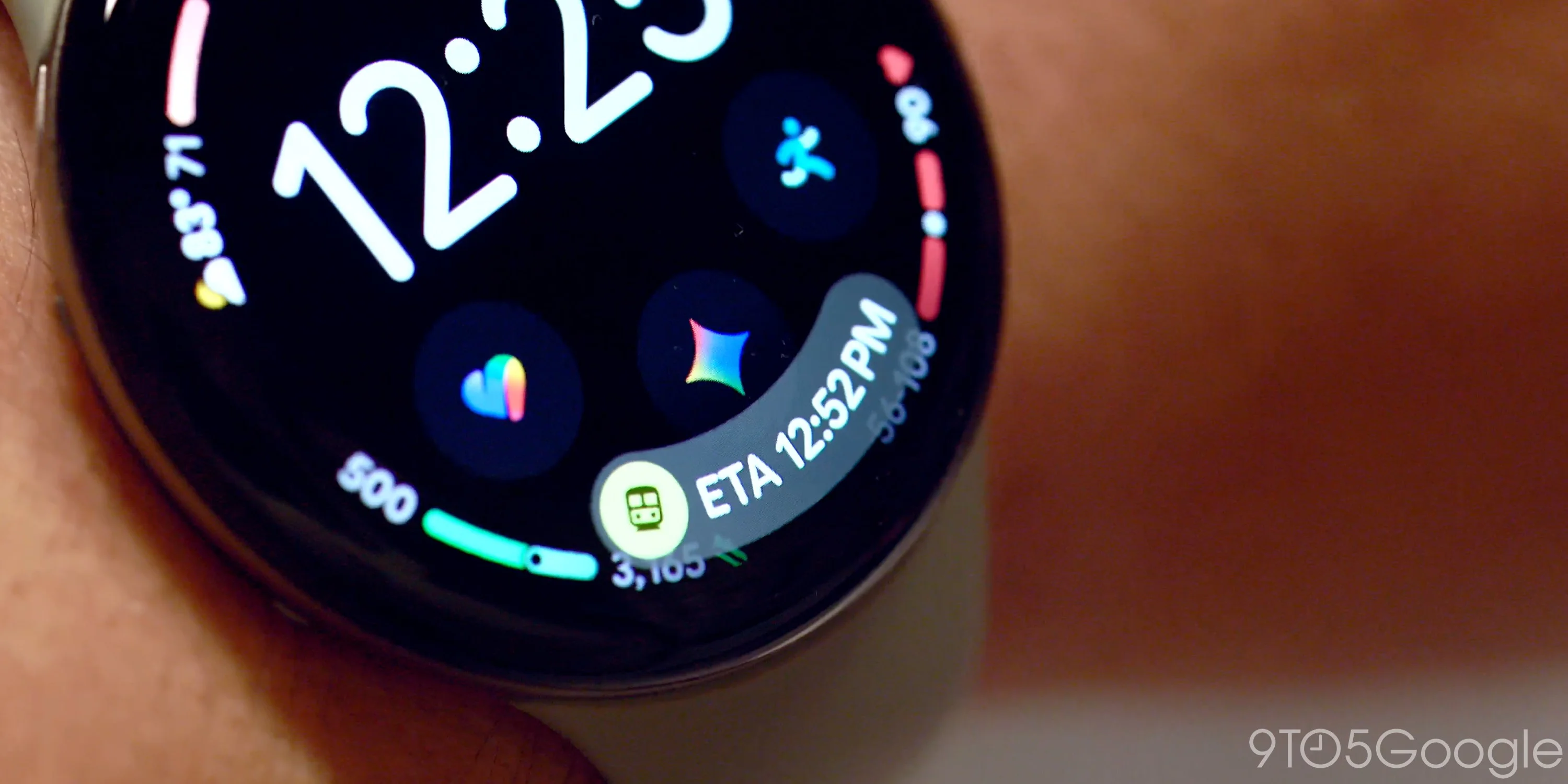
The introduction of an “At a Glance” section provides users with a comprehensive overview at the bottom of watch faces. This feature notably differs from the similarly named option on Pixel phones, showcasing real-time alerts for timers, alarms, workouts, music controls, and navigation details. This layer of information is handy, as it presents essential updates without overwhelming the user with notifications. For many, managing notifications is a task in itself, and reducing friction in how alerts are displayed could make a significant difference in daily use.
Implications and Future Outlook
The Pixel Watch 5 stands as an essential upgrade for users seeking enhanced functionality, interactive features, and streamlined task management. Its capabilities indicate a significant push towards making wearables more intuitive and integrated with users' daily lives. But it's worth considering: what does this mean for the broader wearable market? As companies like Google embed AI more deeply into their devices, it raises the bar for competitors, forcing them to adapt or risk obsolescence.
In the end, how well will users respond to these upgrades? That’s the million-dollar question. If you're working in this space, the answer could shift paradigms. Companies must navigate not just feature sets, but the expectations of users who now expect their devices to be as responsive to their needs as their smartphones. Enhanced interactivity isn't just a side feature—it's becoming a necessity.
Discussion
Sign in to join the discussion.