Google Messages’ opt-in Enhanced Protection adds Gemini scam analysis, link checks and redesigned warnings, with availability varying by feature and device.


Google Messages is adding a second layer of defense against scams, combining Gemini analysis with link checks and more prominent warnings. Enhanced Protection is now rolling out to Android users after Google announced the feature earlier this month. The package targets several points where a scam can gain traction: the conversation itself, a link inside it, and the moment a person is about to open that link.
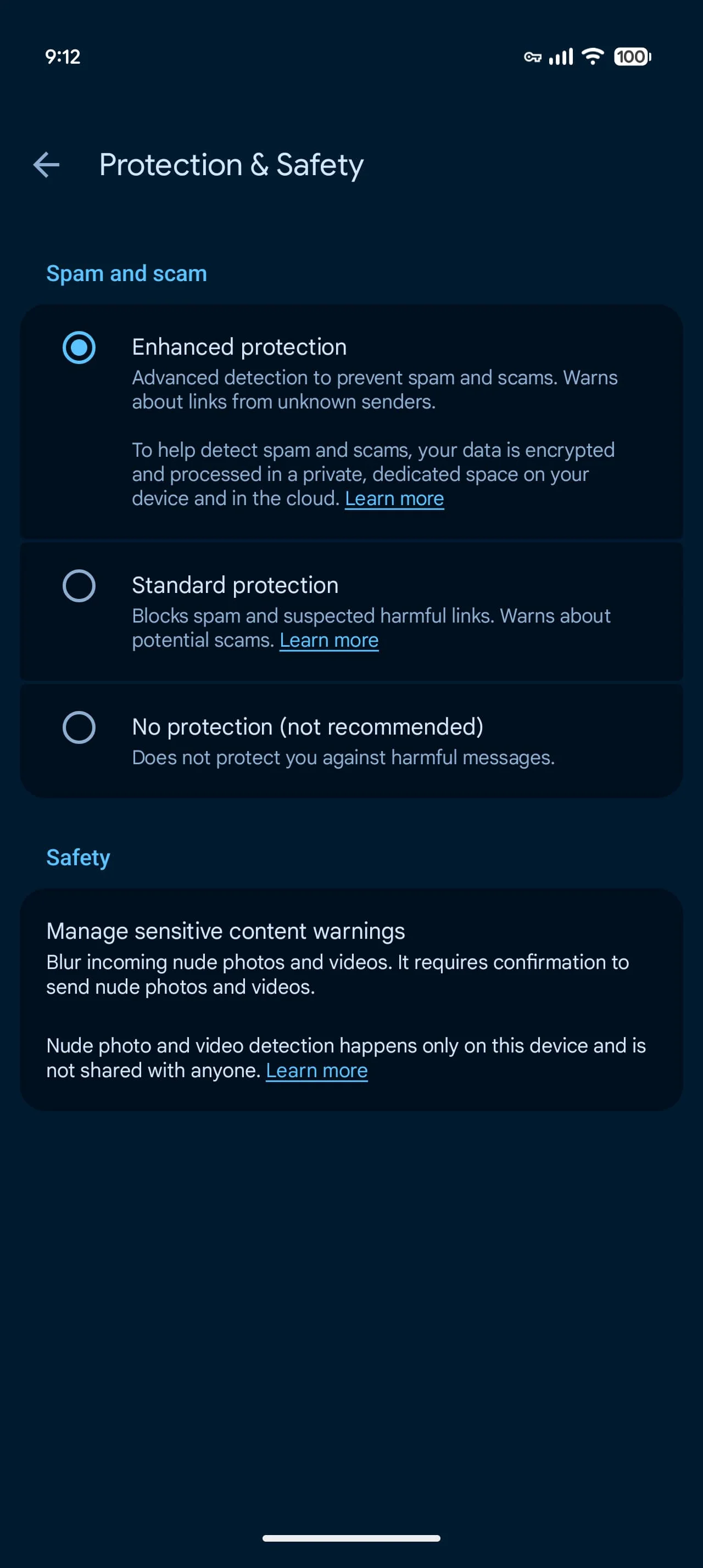
The change expands on Standard Protection, which blocks spam and suspected harmful links. Enhanced Protection adds three tools aimed at spotting suspicious conversations and giving people more time to assess unfamiliar links. That distinction matters because scam messages often rely on urgency and plausible context, while a suspicious URL can be difficult to judge from its text alone. No single warning can resolve those problems, but the additional checks may help interrupt a rushed decision.
Gemini analyzes suspicious conversations
Scam Detection uses cloud Gemini models to assess the context of messages from unknown senders and identify a scammer’s intent. Google says this can catch new and more sophisticated approaches that existing on-device detection may miss. Context is the point: an individual message can look ordinary in isolation, while the surrounding exchange may reveal pressure, deception, or a request that fits a familiar scam pattern. The system is intended to assess that broader conversation.
Google says messages are encrypted and processed in Android’s Private AI Compute, a secure environment it describes as private to the user and inaccessible to others, including Google. That assurance addresses a predictable concern: scam detection based on conversation content requires some form of analysis, and people will want to know where it happens and who can access it. The company’s description sets out its privacy claim, though the practical value for users will depend on how clearly Messages communicates when analysis is active and what happens when it flags a conversation.
Link checks and clearer warnings
Enhanced link protection checks unfamiliar URLs before they’re opened, using Gemini Nano on the device alongside real-time web signals. Google lists the Pixel 10 and newer, Samsung Galaxy S26 series, Z Flip 8 and Z Fold 8 among supported devices, along with other select models. This combination suggests the check draws on both local processing and current information about the web destination. It also makes device support a meaningful limitation: the feature won’t be available to every Android user just because the Messages app is installed.
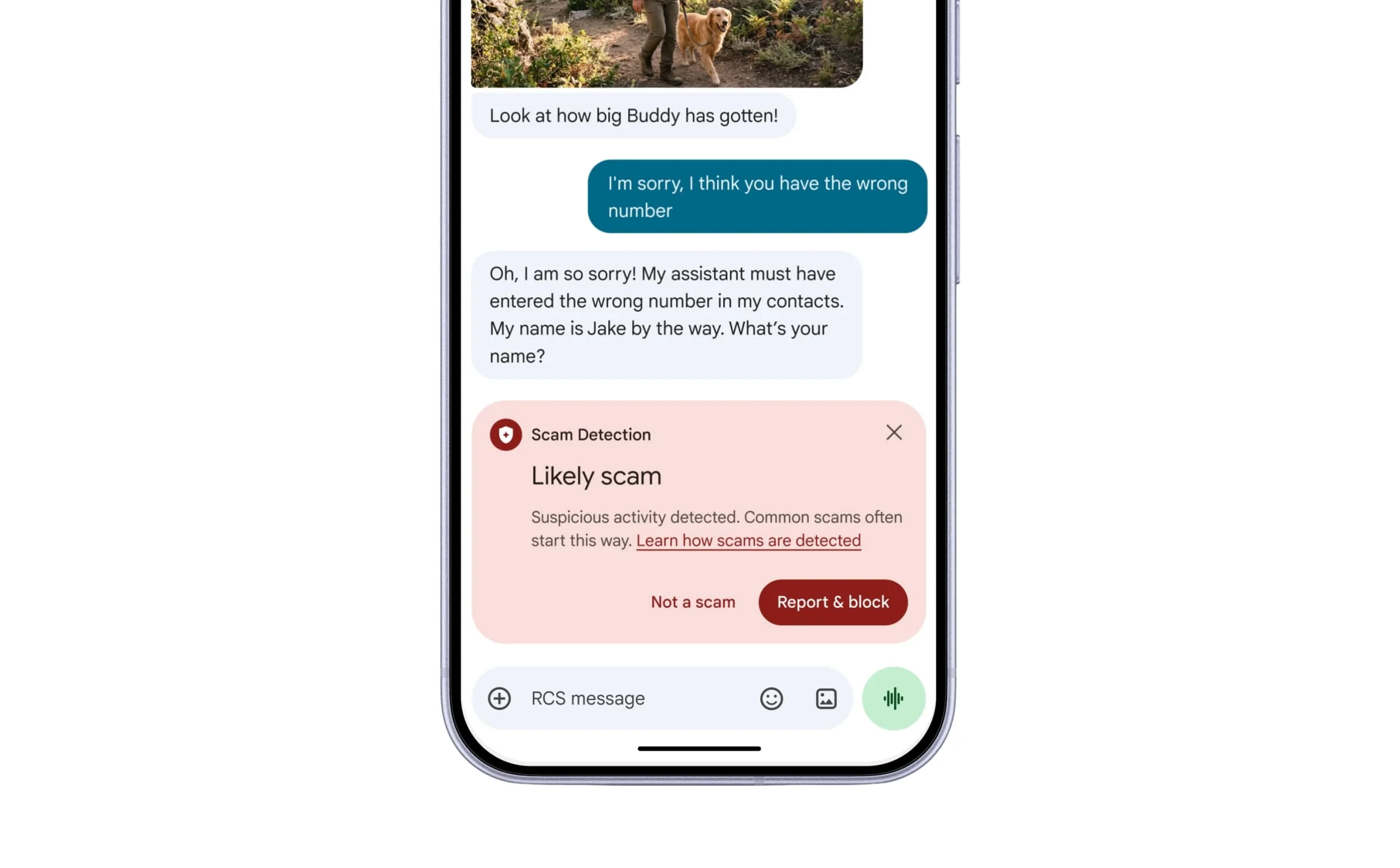
The third change refreshes warning screens for links sent by numbers outside your contacts, adding context and a pause before you tap. That pause is a small design choice with a practical purpose: people often follow links while replying quickly, and a clearer warning can make them reconsider the destination before leaving the conversation. It won’t identify every deceptive message, but it gives the user another chance to stop.
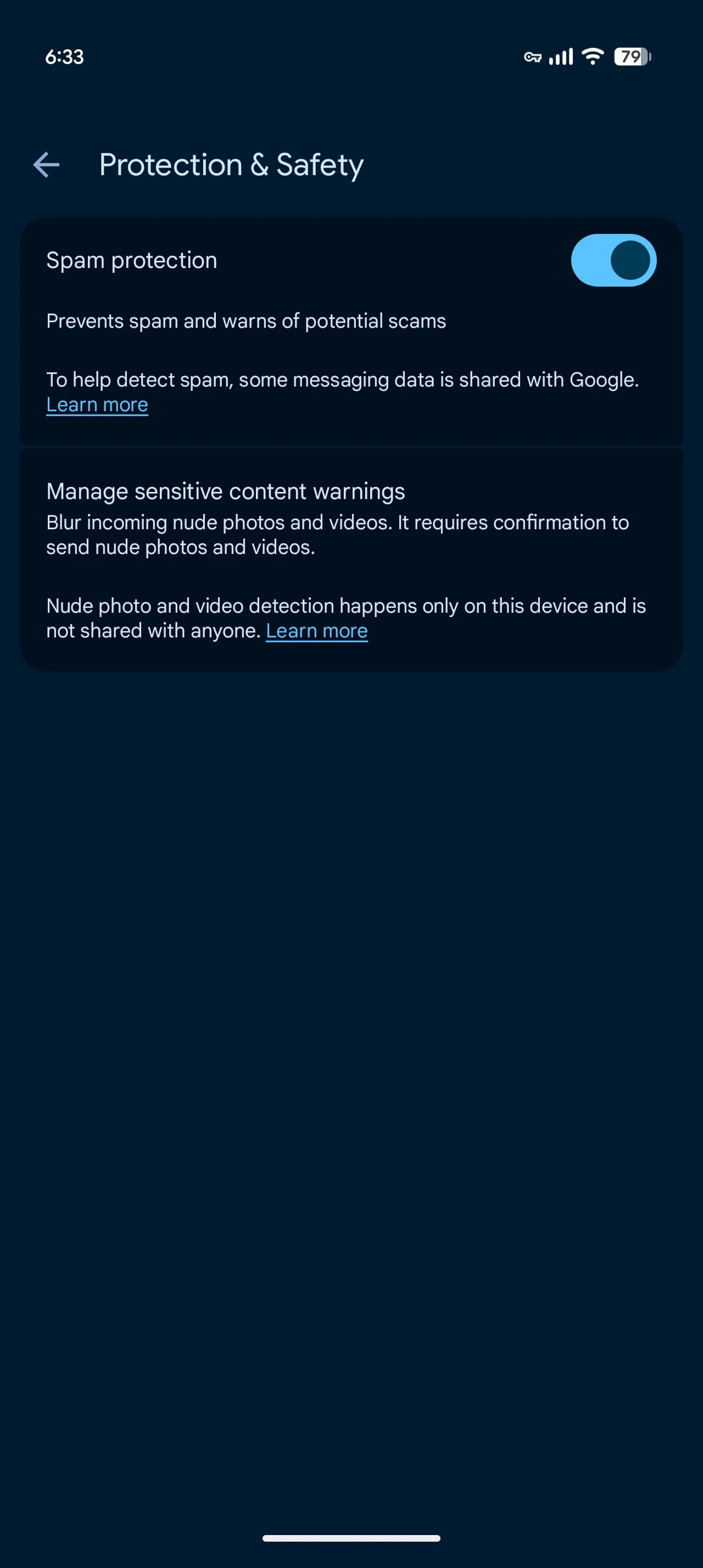
Enhanced Protection is optional. In Google Messages, open Settings, then Protection & safety, and choose Enhanced protection, Standard protection or No protection. The rollout has appeared in beta version 20261020_00_RC00; the feature set and device support may vary. If you're working in this space, the combination is notable because it joins message analysis, destination checks, and interface warnings under one setting, while leaving users control over whether to enable it.
Old vs. new
What the added layer means for users
This is more significant than it looks because the protections address different stages of the same interaction. A conversation-level warning can raise suspicion before a link appears; a URL check can assess the destination; and a refreshed screen can slow the final tap. The pieces may reinforce one another, though the source doesn’t establish how often they’ll trigger or how accurate their warnings will be. That uncertainty matters: a safety feature earns trust through useful alerts and restrained false alarms, not through the number of checks it advertises.
Here's the thing: automated detection can only inform a decision. It can’t guarantee that a message is safe, and a scammer’s approach can change faster than a fixed set of warning rules. (And this is the part most people overlook.) The option to choose Enhanced, Standard, or No protection makes the setting easy to find, but users still need to understand what each level does before selecting one. More context at the moment of risk is useful. A prompt to think twice.
Discussion
Sign in to join the discussion.