Logitech's Logi Options+ app now supports Googlebook, enhancing control over its wireless mice and keyboards on the new platform.
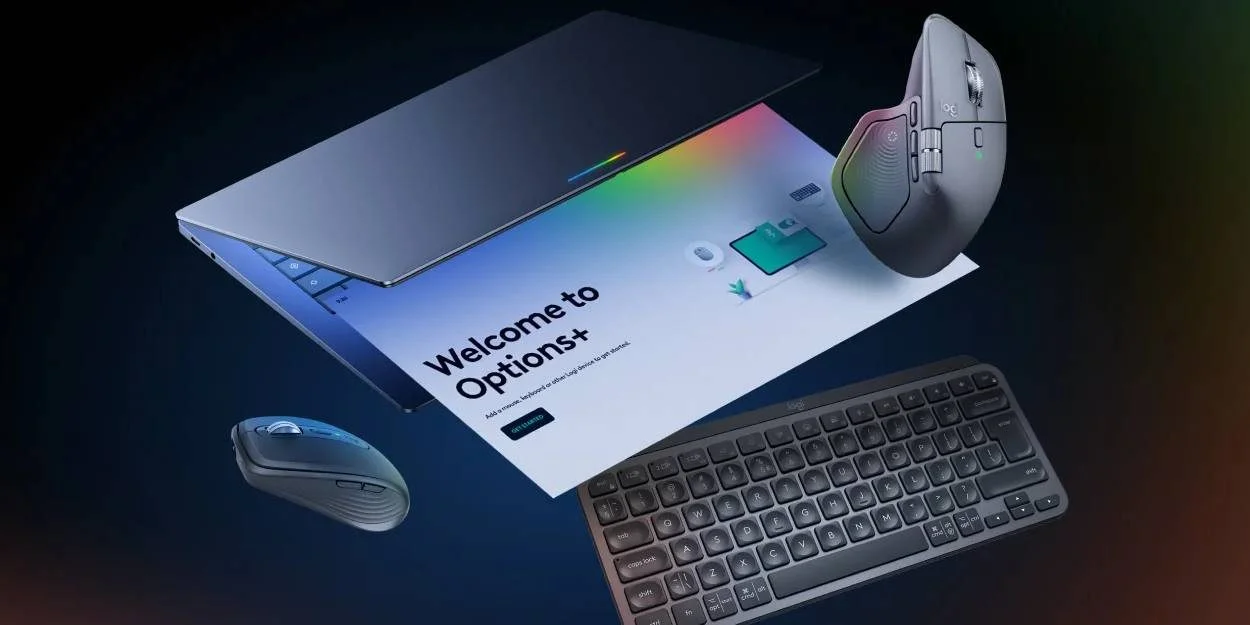
Logitech has rolled out its Logi Options+ application for Googlebook, allowing users to manage their wireless keyboards and mice on the Android-based system.
Understanding Logi Options+
Logi Options+ represents a significant stride for Logitech's software ecosystem. Initially designed for Windows and macOS, this application is tailored to enhance the user experience of Logitech's popular peripherals, including the MX Master mouse and various keyboard models. Through the app, users can expect a wealth of customization options. They can personalize functions, adjust button assignments, and even update firmware directly from the app interface.
Customization is the name of the game when it comes to user-friendly technology. With more people engaging in hybrid work setups, the demand for personalized efficiency tools has surged. Logitech has recognized this trend and expanded its application to Android-based systems like Googlebook. By allowing users to tweak the performance and functions of their keyboards and mice, Logitech not only boosts productivity but also aligns with evolving workplace needs.
Capabilities and Limitations
Though Logi Options+ is a welcome addition, Logitech has indicated that its capabilities are "limited" at launch. This caveat is important for potential users. You might assume that software released under a mature brand will include a fully featured experience right off the bat, but that's not always the case. If you’re working in this space, it's wise to temper expectations about the functionalities available at this stage.
The app currently supports a selective range of devices, such as the MX Master 4, MX Keys S, Logitech Lift, and Pebble Keys 2. It's important to note which devices you own before diving in. Those who already have these peripherals can pair them directly with Googlebook, unlocking features such as Magic Pointer and customizable button options. However, keep in mind that this feature set may grow over time as Logitech refines the app and addresses user feedback. Similar systems typically undergo iterative improvements based on user engagement, and the initial rollout should be seen as just that—a starting point.
User Experience and Interface
The installation process for Logi Options+ on Googlebook is straightforward. Once downloaded from the Google Play Store, pairing a compatible Logitech device involves a simple workflow. However, the user interface could benefit from more intuitive design choices, especially for newcomers to Logitech's software. While experienced users may navigate the app with ease, it might pose a challenge for those unfamiliar with Logitech's ecosystem.
Accessing features like customizable button options and enhanced pointing and scrolling may require some time for users to fully appreciate their utility. And this is the part most people overlook: being able to personalize your setup doesn't just make a device feel more "you"—it can actually enhance your overall work efficiency. If you're accustomed to specific functions on your workstation, replicating that experience on a mobile platform can alleviate friction in day-to-day tasks.
Market Trends and Context
Logitech’s expansion into the Googlebook space aligns with broader industry trends focused on mobile and hybrid computing. The way we work has shifted noticeably, requiring more adaptable technology solutions. Googlebook itself is positioned at an interesting intersection of productivity and mobility, providing a platform where peripherals can be utilized effectively. Users of all backgrounds—students, professionals, and creatives alike—are searching for tools that can enhance their workflow on the go.
This move also places Logitech in friendly competition against other peripheral manufacturers who are rapidly evolving their products to meet the changing demands of consumers. As more users migrate from traditional computing environments to mobile platforms, brands that can successfully deliver on integration and customization will likely emerge as market leaders. Logitech's steps with Logi Options+ indicate a recognition of these shifting patterns, and it's a play aimed at catching more of the mobile-first demographic.
Implications for Users and the Industry
The rollout of Logi Options+ for Googlebook isn't just a software update; it represents a deeper recognition of user needs in a changing technology landscape. For individual users, especially those who rely heavily on their peripherals, this software provides new avenues for customization that can dramatically refine their workflows. You'll find yourself more in control of your devices than ever, directly influencing your productivity levels.
And yet, this release highlights the ongoing challenges for software developers in offering rich user experiences in mobile environments. Many peripheral devices have historically relied on desktop-based applications, which often feature comprehensive capabilities. The transition to mobile can dilute some functionalities, leading to a frustrating experience for users accustomed to full-fledged software on their operating systems. As Logitech continues to refine this application, keeping user feedback at the forefront will be key.
For the industry, this signifies that accessory makers must innovate not just at a hardware level but also in software to keep pace with user expectations. The relative success of Logi Options+ for Googlebook may serve as a case study for similar brands looking to gauge how to effectively integrate their products into newer ecosystems. Anticipating user needs and addressing them early could spell the difference between a fleeting release and a long-standing presence in the marketplace.
Discussion
Sign in to join the discussion.