Enhancing Multitasking: The New Gemini Overlay Features on Android
Published Sep 04, 2026823 readers
The Gemini overlay on Android now includes multitasking capabilities with a convenient minimize option, streamlining user interaction.
Introduction to Gemini's New Features
Android's Gemini overlay is stepping into the multitasking arena with its latest update. This change is more significant than it appears at first glance. By introducing a new feature that allows users to minimize the overlay into a floating bubble, Android is not just refining user experience but also responding to a broader demand for efficient multitasking options. Users increasingly expect technology to help them juggle multiple tasks simultaneously—minor tweaks can have a big impact on usability.
What's particularly noteworthy about this feature is how it aligns with modern work habits. The concept of multitasking is engrained in our daily lives, whether we’re responding to messages while attending a meeting or quickly checking backgrounds while scrolling through news articles. By enabling this functionality, Android's Gemini aims to contextualize its use further and make this process smoother for its audience.
New Functionality: The Minimize Button and Bubble Interaction
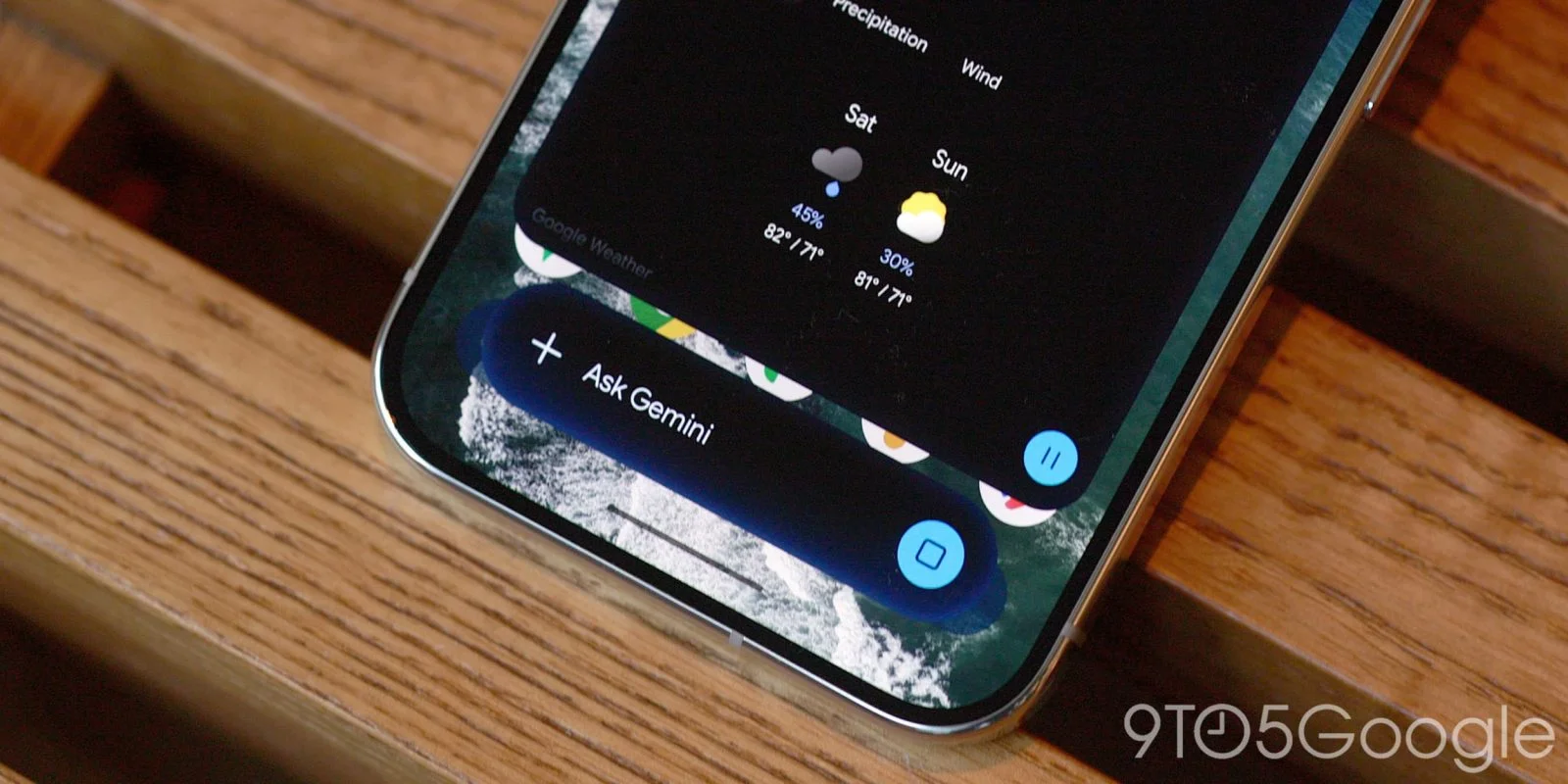
Once users enter a prompt, they will notice a conveniently placed “Minimize” button that appears. This strategic positioning is not merely for aesthetics. It allows for quick access to the floating bubble after receiving a response. Users can now efficiently manage their interactions without needing to entirely interrupt their workflow. The move to create easier navigation is essential; users frequently toggle between different applications or tasks, and swift access is vital.
Tapping the Minimize button transforms the overlay into a bubble featuring a spark logo, echoing Android's branding while serving a practical function. According to Google, claims of accessibility remain strong: “Gemini is still accessible while you multitask. Tap to expand. Drag to move or dismiss.” What’s remarkable here is the frictionless transition between tasks, with users able to switch easily from their query in Gemini back to whatever other task they were managing.
That said, the restrictions on the bubble’s position—limited to just one of six predefined locations—raise eyebrows. While certain design restrictions can aid usability, this limitation could frustrate users who prefer absolute control over their workspace.
Technical Limitations: Positioning Issues and Bugs
There's a downside to the current implementation of the Gemini bubble. A bug reportedly resets the bubble position back to the bottom-right corner every time it’s minimized. Persistent issues like this can tarnish the feature's overall value and raise concerns about the testing process. The utility of a multitasking feature can be diminished by technical glitches that interfere with user experience.
Moreover, the choice of fixed positions may not account for varied screen sizes or individual preferences. Users often have unique habits and different contexts in which they use applications—some may favor a corner, while others may prefer the center of the screen.
And this is the part most people overlook: design choices that might seem minor can ultimately affect user satisfaction. Small irritations like these can make advanced features feel gimmicky instead of genuinely helpful. If users can’t position these tools where they find them most useful, they’re less likely to adopt the new functionality wholeheartedly.
User Interaction Simplified
The speed of user interaction has undergone a noticeable upgrade compared to earlier methods. Previously, if users wanted to check in on an ongoing discussion, they had to launch the Gemini app, navigate through a side panel, and then reestablish their initial query with various taps. That workflow could feel cumbersome in a fast-paced environment.
Now, the new process enables users to submit their questions, minimize the overlay, and occupy themselves with other tasks while awaiting a response. This enhanced interactivity is crucial for productivity-focused audiences, particularly those who work in fast-paced environments where time is of the essence.
If you're working in this space, you’ll know the importance of speed and efficiency. The new Bubble function plays well into this, making it easier for users to maintain a flow without the constant interruption of switching apps back and forth.
For Android 17 users, the experience can be even more integrated through the system Bubble function. Having access to this mechanism not only enhances multitasking but also shows how Android is evolving with user needs in mind, blending features that feel coherent rather than disparate.
Rolling Out and User Adoption
As the Minimize button and Gemini bubble feature undergo wider rollout, it remains to be seen how effectively users will adopt this new multitasking approach. Early adopters might provide enough feedback to either validate or challenge the utility of these new features.
In software, initial user experiences can significantly influence broader acceptance. If users encounter bugs and limitations repeatedly, they may either avoid the features altogether or resort back to older, proven applications that allow for easier user navigation and control.
This is not merely about responding to user needs; it's also about how well companies can integrate feedback and iterate on their products to create a better experience.
Implications, Significance, and Future Outlook
The implications of Gemini’s new feature extend beyond just adding functionality; it reflects a greater trend within technology. As applications increasingly integrate multitasking capabilities, expect competition to ramp up. Companies that can create intuitive, user-friendly designs will likely see greater loyalty—and success.
That said, the limitations currently in place could hinder the potential of Gemini. At its core, it’s about making technology bend to the needs of the user rather than forcing the user to adapt to technology. As such, any major delays in addressing these bugs and improvements could have lasting repercussions.
The future outlook for this feature hinges on user feedback—but also on how adaptive Google's response can be. If they take criticism in stride and address these design shortcomings quickly, Gemini could gain substantial traction. However, any perceived stagnation could spell trouble in a competitive app market, where users are quick to shift allegiance based on user experience.
Discussion
Sign in to join the discussion.