Google's Gemini app update brings improved performance for professional fields and the ability to disable media watermarks for smoother user experience.
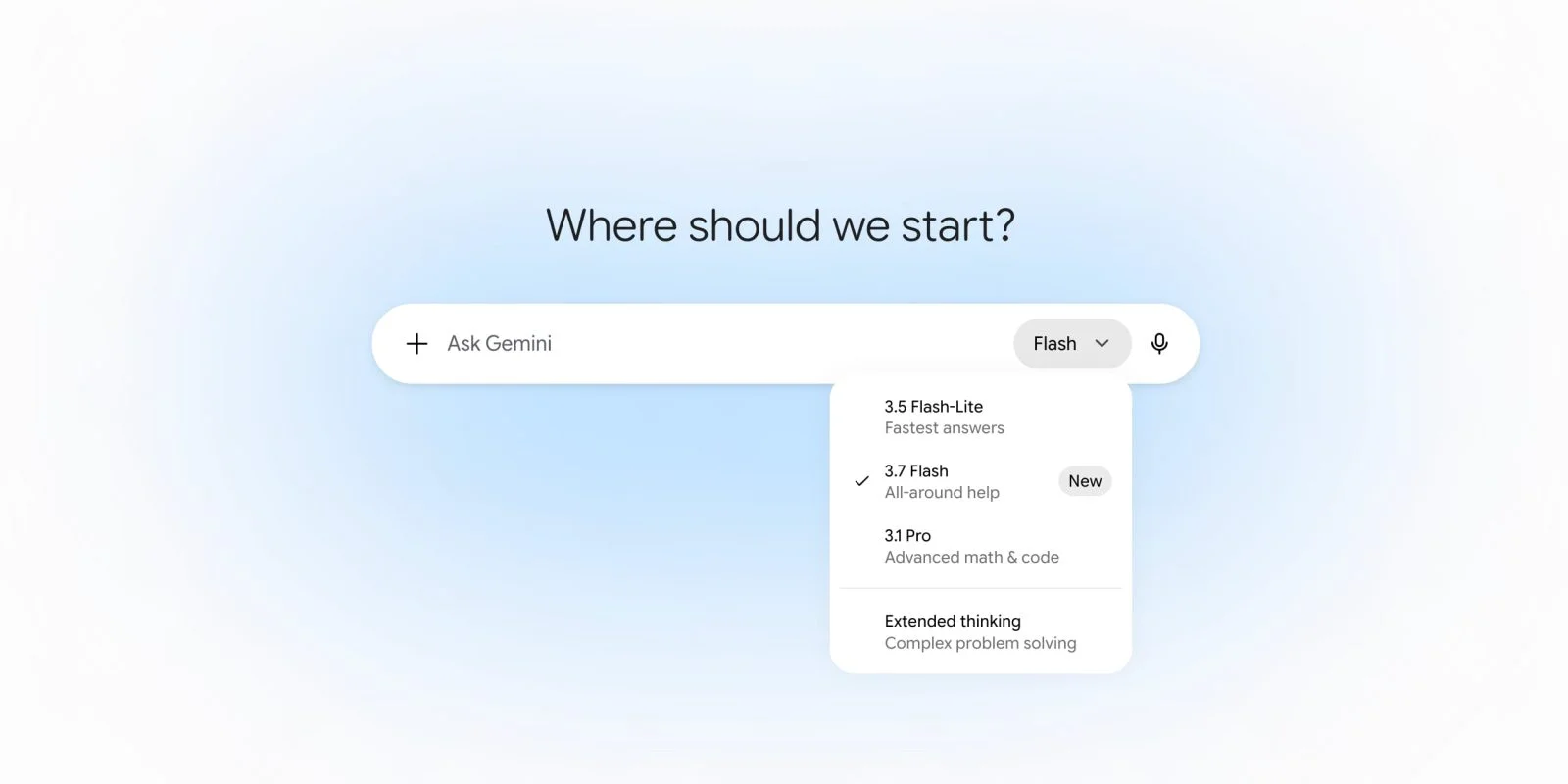
Gemini 3.7 Flash Launches with Enhanced Capabilities
Google recently rolled out the Gemini 3.7 Flash model, replacing the previous version across all platforms: Android, iOS, web, and macOS. This update isn't just a routine tweak; it aims to enhance the Spark agent, which now comes with improved chat functionalities. Google's ongoing effort to refine user interactions reveals its commitment to making AI more accessible and efficient for everyone. Competitors in the AI space are sure to take note; the stakes for user engagement have never been higher.
Boosted Performance Across Multiple Domains
The 3.7 Flash model offers notable improvements in reasoning and accuracy, particularly in specialized sectors like finance, law, and the biosciences. These enhancements aren't merely academic; users can expect a smoother experience in coding, web development, and UI generation as well. This focus on specialized sectors reflects a growing recognition that AI tools need to cater to the nuanced demands of different industries. When you consider that tasks like legal analysis or medical diagnostics require exceptional precision, these improvements could be pivotal for users operating in high-stakes environments. Just how effectively these enhancements can be adopted will be the real test of their value.
Improved Efficiency for Gemini Spark
With this update, Gemini Spark gains efficiency through better integration with Google Workspace apps. This advancement represents more than just an upgrade; it seeks to transform user workflows significantly. The idea is to streamline operations. Imagine toggling efficiently between documents, spreadsheets, and presentations—all enhanced by AI's capabilities. For those already using Google Workspace, the synergy could lead to smoother transitions and faster completion of projects. But will users actually see the promised efficiencies in their day-to-day tasks?
New Control Over Media Watermarks
An intriguing feature introduced in this update allows users to turn off visible watermarks in generated media, like corner logos seen in images, videos, and songs. Users can access this option via the web by simply clicking the settings gear icon and toggling the "Media watermark" option between “On” and “Off.” This functionality could change the way content is shared and perceived. After all, many creators want their work to look professional without those obvious branding marks. (And this is the part most people overlook: how presentation can affect audience reception.) Yet, as appealing as it sounds; there's a bigger picture here. What does this newfound freedom mean for intellectual property and content originality? That's a question worth exploring.
Compliance Considerations
However, this option won't be available in regions where it conflicts with legal requirements to maintain such markings. This nuance highlights the intricate web of compliance issues that companies like Google must navigate in a global marketplace. Meanwhile, invisible SynthID watermarks and C2PA metadata will continue to be embedded in the content. This dual approach raises interesting questions about ownership and usage rights. Users might enjoy the visual freedom provided by the no-watermark option, yet they are still being tracked. For businesses working with this technology, understanding how to operate within these legal frameworks will become increasingly vital.
Future Rollouts and Additional Features
This latest feature has also been incorporated into Flow, with plans for its addition to Search on the horizon. That's significant, considering Google's Search is one of the most widely utilized platforms available. Users should appreciate the evolving capabilities. The focus on enhancing user interaction indicates that Google is looking to maintain its competitive edge. Yet this raises a broader question: will these enhancements keep users engaged long-term? Users in this space will need to assess if these new features genuinely improve their experiences or if they merely represent incremental updates.
Implications and Future Outlook
As AI tools like Gemini continue to advance, their implications stretch far beyond just user experience; they touch on broader societal concerns regarding privacy, content ownership, and intellectual property. These developments could shift how businesses operate, particularly in sectors that require precise details and sensitive data handling. The introduction of features like watermark options may cater to user preferences, but they also pose risks that need careful navigation. If you're working in this space, understanding both the benefits and the legal ramifications will be essential.
Moreover, as Google's competition ramps up, other tech giants will likely respond with their own feature rollouts, intensifying the arms race in AI capabilities. Staying ahead will require not just technological prowess but also an acute awareness of customer needs and compliance landscapes. So, watch closely as these dynamics unfold; the AI conversation is far from over. The significance of these updates isn’t just in their immediate functionality; it’s about setting the stage for future interactions between technology and society.
Discussion
Sign in to join the discussion.